


Global Broker Regulation Inquiry App
About WikiFX
English
简体中文
繁體中文
English
Pусский
日本語
ภาษาไทย
Tiếng Việt
Bahasa Indonesia
Español
हिन्दी
Filippiiniläinen
Français
Deutsch
Português
Türkçe
한국어
العربية
اردو
SaracenMarkets Login: Account Setup, Access, and Security
Abstract:Learn how to register and log in to your SaracenMarkets account. Get details about account security features, mobile access, and demo accounts.
How Can New Traders Start with SaracenMarkets?
To begin trading with SaracenMarkets, new traders need to follow a few simple steps:
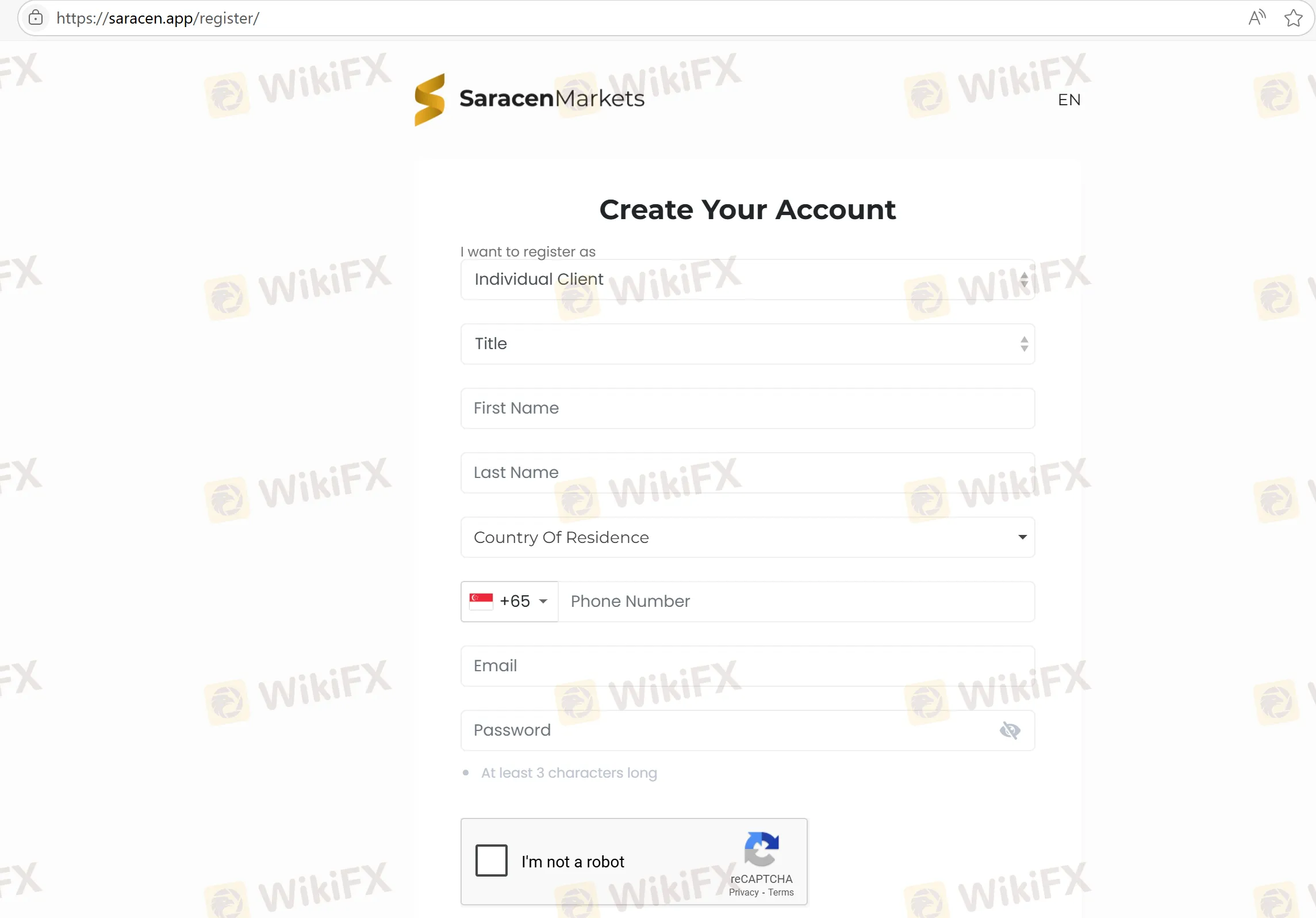
Step 1: Account Registration: Start by visiting the SaracenMarkets website (https://saracen.app/register/) and filling out the registration form. Provide your personal details, such as name, email address, and phone number.
Step 2: Identity Verification: For security and regulatory purposes, you will need to verify your identity. This usually involves submitting a government-issued ID and proof of address.
Step 3: Account Funding: After verification, you can fund your account with a minimum deposit of $10. SaracenMarkets supports multiple deposit methods, including credit cards and e-wallets.
Step 4: Start Trading: Once your account is set up and funded, you can access the trading platforms (MT4 or MT5) and begin trading on a live or demo account.
How to Access Your SaracenMarkets Account?
Traders can access their SaracenMarkets account from any device, including desktop computers and mobile devices. The platform provides a web-based trading solution, so you don't need to download any software to begin trading.
- Web Access: Access the platform directly through a web browser.
- Mobile Devices: Although SaracenMarkets doesnt provide a dedicated mobile app, the web platform is fully optimized for mobile use, so you can trade on-the-go from any smartphone or tablet.
Security Features of SaracenMarkets Login
To ensure the safety of user accounts, SaracenMarkets implements robust security measures:
- Two-Factor Authentication (2FA): For added protection, traders can enable two-factor authentication when logging in, adding an extra layer of security.
- Data Encryption: SaracenMarkets uses high-level encryption to protect personal and financial data from unauthorized access.
- Account Lock: In case of multiple failed login attempts, accounts can be temporarily locked to prevent unauthorized access.
FAQs about SaracenMarkets Login
Q1: How do I create an account with SaracenMarkets?
A1: Simply visit the SaracenMarkets website, fill in your personal details, and submit the required documents for identity verification. Once verified, you can start trading with a minimum deposit of $10.
Q2: Can I log in from multiple devices?
A2: Yes, you can access your SaracenMarkets account from multiple devices including desktop, tablet, and smartphone.
Q3: Is there a mobile app for SaracenMarkets?
A3: SaracenMarkets does not offer a dedicated mobile app. However, the web platform is fully optimized for mobile trading.
Q4: How do I reset my password for SaracenMarkets?
A4: If you forget your password, you can reset it by clicking the “Forgot Password” link on the login page and following the instructions sent to your registered email.
Q5: Can I use a demo account on SaracenMarkets?
A5: Yes, SaracenMarkets offers demo accounts for users to practice and learn the trading platform before committing real funds.
Disclaimer:
The views in this article only represent the author's personal views, and do not constitute investment advice on this platform. This platform does not guarantee the accuracy, completeness and timeliness of the information in the article, and will not be liable for any loss caused by the use of or reliance on the information in the article.
WikiFX Broker
Latest News
Review 2026: TRADING 212 Regulation, Clone Warning, and Withdrawal Complaint
 WikiFX
Review 2026: BOLD PRIME Complaints, Regulation Warnings, and Withdrawal Risk
WikiFXReview 2026: EMIRAX MARKETS Regulation, Withdrawal Complaints, and Trading Risks
WikiFXPolymarket Under Fire as Wall Street Watchdog Launches Investigation
WikiFXEMAR MARKETS Review 2026: No Withdrawals Despite Millions Paid in Verification Fees
WikiFXUS-Iran Tension Rattles Indian Stock Markets Today; Still Some Gained in a Gloomy Scenario
WikiFXFinal Hours for OneCoin Victims: Billions Lost as DOJ Compensation Deadline Looms
WikiFXThe Hidden Drivers of Forex: How Bank Rates and Revaluations Move the Market
WikiFXHe Promised 15% Returns. Now Over 300 Investors Lost $60 Million.
WikiFXReview 2026: Webull FSA Regulation, Mobile App Access, and Complaint Signals
WikiFXCurrency Calculator
USD

CNY
Current Rate:0
Enter amount
USD
Redeemable Amount
CNY
Calculate 