


Global Broker Regulation Inquiry App
About WikiFX
English
简体中文
繁體中文
English
Pусский
日本語
ภาษาไทย
Tiếng Việt
Bahasa Indonesia
Español
हिन्दी
Filippiiniläinen
Français
Deutsch
Português
Türkçe
한국어
العربية
اردو
How to Log Into Your Trade245 Account - Secure & Easy Login Guide
Abstract:Learn how to securely log into your Trade245 account. Discover troubleshooting tips, logging into MT4/MT5, and answers to common login questions.
 Contents
How to Log Into Your Trade245 Account?
Step 1: Go to the Trade245 Login Page
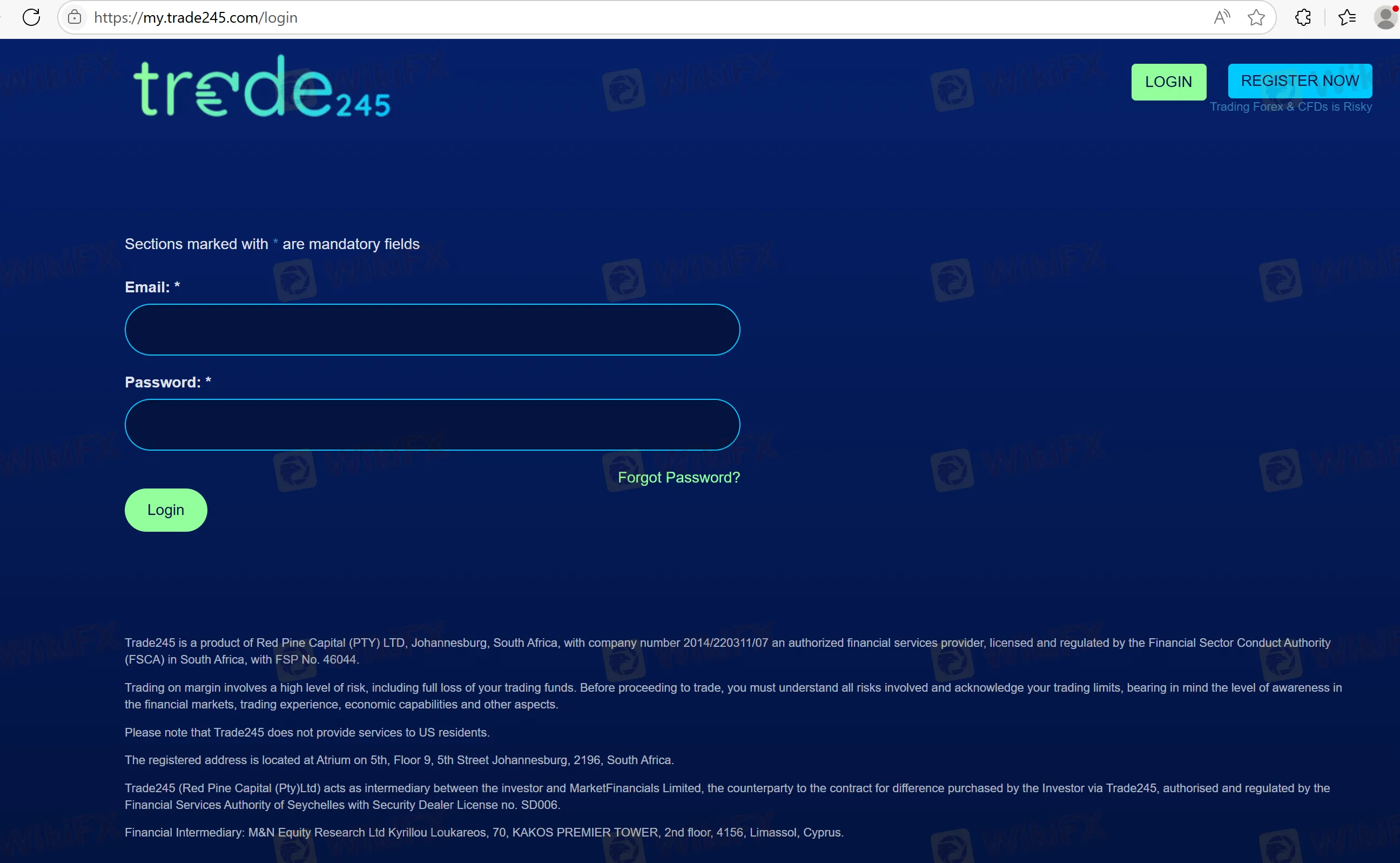
To log in to your Trade245 account, visit the official Trade245 login page (https://my.trade245.com/login). You can find the login option at the top-right corner of the website.
Step 2: Enter Your Credentials
Once on the login page, enter your username and password in the respective fields. These credentials were set up during your account registration.
Step 3: Enable Two-Factor Authentication (Optional)
For extra security, two-factor authentication (2FA) may be enabled. If so, enter the security code sent to your phone or email.
Step 4: Click “Login”
After entering your credentials and completing the 2FA (if enabled), click the “Login” button to access your account.
Step 5: Access Your Trading Dashboard
Once logged in, you'll be directed to the Trade245 trading dashboard where you can manage your trading activities.
Troubleshooting Login Issues
Forgot Your Password?
If youve forgotten your password, click on the “Forgot Password” link on the login page. A reset link will be sent to your registered email. Follow the instructions to reset your password.
Account Lock due to Failed Login Attempts
If youve entered the wrong password multiple times, your account might be temporarily locked. In this case, contact Trade245 customer support to unlock your account.
Clear Browser Cache or Use a Different Browser
If you're facing login issues, try clearing your browser's cache or switching to another browser to resolve potential issues.
Logging into the Trade245 Platform (MT4/MT5)
Step 1: Download the MT4 or MT5 Platform
Trade245 supports MT4 and MT5 for desktop and mobile devices. Download and install the platform that best suits your trading experience.
Step 2: Enter Your Account Details
Open the platform and enter your username and password. These credentials should match those you registered with.
Step 3: Start Trading
After logging in, youll be able to access the full suite of tools available for trading, including Forex, indices, commodities, and more.
Disclaimer:
The views in this article only represent the author's personal views, and do not constitute investment advice on this platform. This platform does not guarantee the accuracy, completeness and timeliness of the information in the article, and will not be liable for any loss caused by the use of or reliance on the information in the article.
WikiFX Broker
Latest News
EMAR MARKETS Review 2026: No Withdrawals Despite Millions Paid in Verification Fees
 WikiFX
US-Iran Tension Rattles Indian Stock Markets Today; Still Some Gained in a Gloomy Scenario
WikiFXFinal Hours for OneCoin Victims: Billions Lost as DOJ Compensation Deadline Looms
WikiFXThe Hidden Drivers of Forex: How Bank Rates and Revaluations Move the Market
WikiFXHe Promised 15% Returns. Now Over 300 Investors Lost $60 Million.
WikiFXReview 2026: Webull FSA Regulation, Mobile App Access, and Complaint Signals
WikiFXFIBOGROUP Review: Offshore Regulation, Withdrawal Complaints, and Broker Red Flags
WikiFXHow to Measure True Currency Strength Beyond a Single Pair
WikiFXReview 2026: OROKU EDGE Regulation Warnings, Withdrawal Complaints, and High Leverage
WikiFXHero FX Review 2026: Is This Forex Broker Safe?
WikiFXCurrency Calculator
USD

CNY
Current Rate:0
Enter amount
USD
Redeemable Amount
CNY
Calculate 