

Global Broker Regulation Inquiry App
About WikiFX
English
简体中文
繁體中文
English
Pусский
日本語
ภาษาไทย
Tiếng Việt
Bahasa Indonesia
Español
हिन्दी
Filippiiniläinen
Français
Deutsch
Português
Türkçe
한국어
العربية
اردو


XM Login Guide – Access Your Trading Account Easily

WikiFX
|


Abstract:Learn how to create and login to an XM account. Step-by-step guidance for new and existing traders ensures secure access to trading platforms.
How to Open and Access an XM Account?
New traders can create an XM account quickly through the official website. The registration process requires personal details and verification documents. Once completed, the account grants access to MT4, MT5, and the XM mobile app. XM supports multiple base currencies and complies with regional regulatory requirements.
Step-by-Step Account Registration and Login
Step 1: Go to the XM website and click ‘Get Started’.
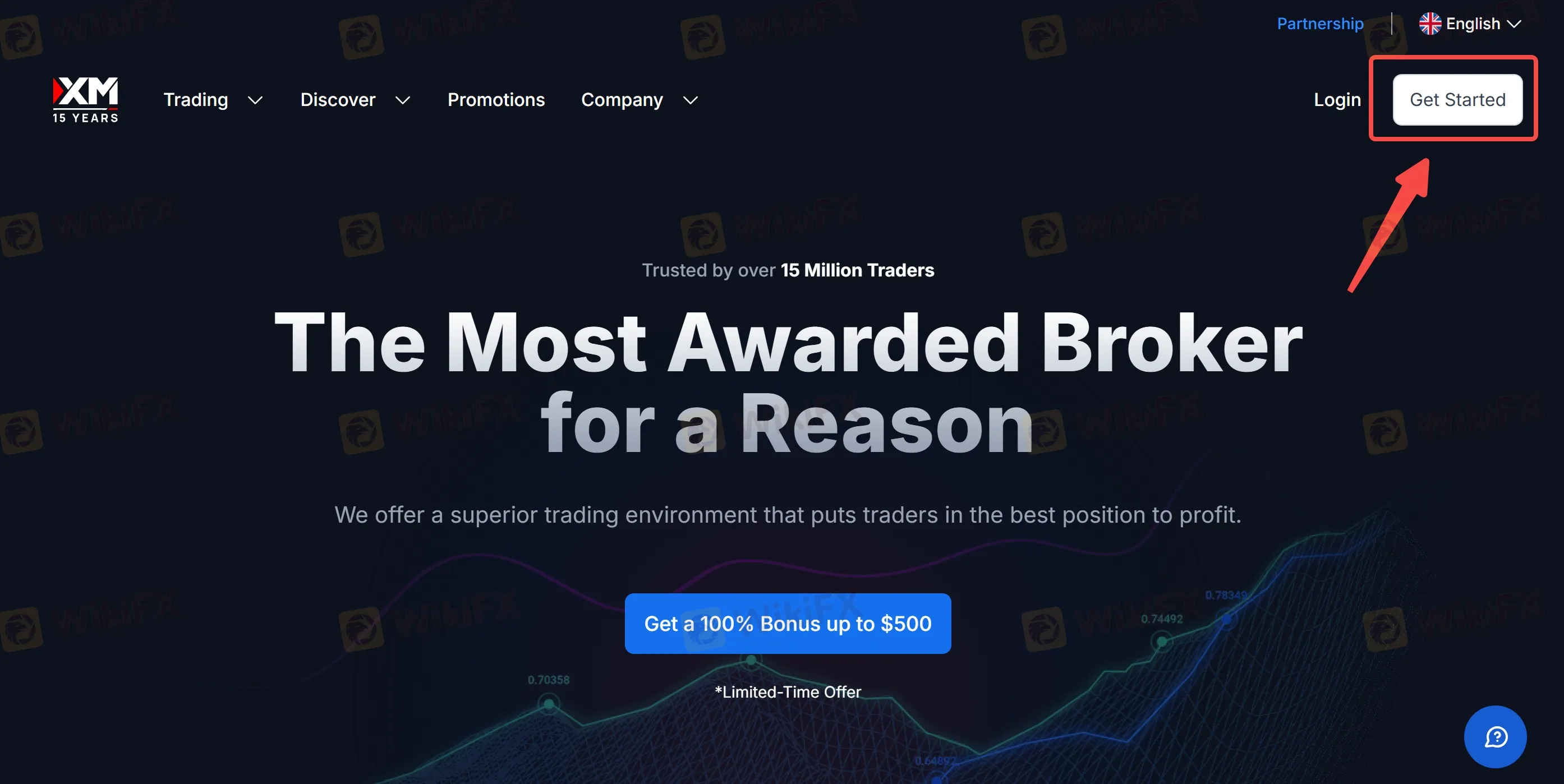
Step 2: Enter personal information and select the account type: Standard, Ultra Low, or Shares.
Step 3: Submit identity and address verification documents.
Step 4: Log in with provided credentials on the XM platform or mobile app.
Step 5: Fund the account using supported deposit methods to start trading.
FAQs about XM Login
How can a trader reset their XM password?
The login page offers a ‘Forgot Password’ option that sends a secure reset link via email.
Can the same login credentials be used for MT4, MT5, and mobile app?
Yes, a single login allows access across all supported platforms.
What should a trader do if login fails?
Traders should contact XM support for account verification and issue resolution.
Is two-factor authentication available?
Yes, two-factor authentication can be enabled to enhance account security.
Can multiple accounts be managed under a single login?
XM allows multiple accounts to be linked under one profile for management convenience.
How long does account verification take?
Verification typically completes within 24–48 hours after submission of all required documents.
Disclaimer:
The views in this article only represent the author's personal views, and do not constitute investment advice on this platform. This platform does not guarantee the accuracy, completeness and timeliness of the information in the article, and will not be liable for any loss caused by the use of or reliance on the information in the article.
WikiFX Broker
Latest News
ForexMart Review: Profit Canceled, Principal Withheld, and a Broker Warning Traders Cannot Ignore
WikiFXBX Trade Review: Is This Unregulated Broker Worth the Risk?
WikiFXSTMARKET Review: Withdrawal Complaints Cloud a Low-Rated Broker, What to Know Before You Deposit
WikiFXWhy the Dollar Moves Almost Every Forex Pair
WikiFXCONSOB Orders Blocking of 24 Unauthorized Investment Websites
WikiFXBitDelta Receives UAE Category 5 Licence for Introducing Activities
WikiFXRinggit Gains on Majors but Slips vs US Dollar Ahead of Fed
WikiFXtrading.com Review: FCA-Regulated, But Withdrawal Complaints Persist
WikiFXDeriv Review: What Traders Should Know Before Depositing
WikiFXDollar Steadies as Rupee Finds Market Support
WikiFX