

Global Broker Regulation Inquiry App
About WikiFX
English
简体中文
繁體中文
English
Pусский
日本語
ภาษาไทย
Tiếng Việt
Bahasa Indonesia
Español
हिन्दी
Filippiiniläinen
Français
Deutsch
Português
Türkçe
한국어
العربية
اردو


EZInvest Login and App Access Guide for Traders

WikiFX
|


Abstract:Learn how to login to EZInvest via web and mobile app, how to register your account, reset passwords, and solve login errors efficiently.
How to Access EZInvest? Login Process Explained
To access EZInvest, users must log in either via the web portal or the Sirix WebTrader/MT4 platform, depending on account type.
- Web Login: Navigate to the official site and click the Login button. Enter your registered email and password.
- Mobile Access: Download the EZInvest mobile app (Sirix Mobile or MT4 App) from Google Play or Apple App Store. Use your existing credentials to log in.
- Demo vs Live: Users can switch between demo and live environments during login, depending on the account created at sign-up.
- Security Note: 2FA is not clearly enabled by default; users should use strong passwords and enable email notifications.
EZInvest Account Creation: Step-by-Step
To create a new trading account on EZInvest:
Step 1: Visit the EZInvest official homepage: https://worldclient.ezinvest.com/register
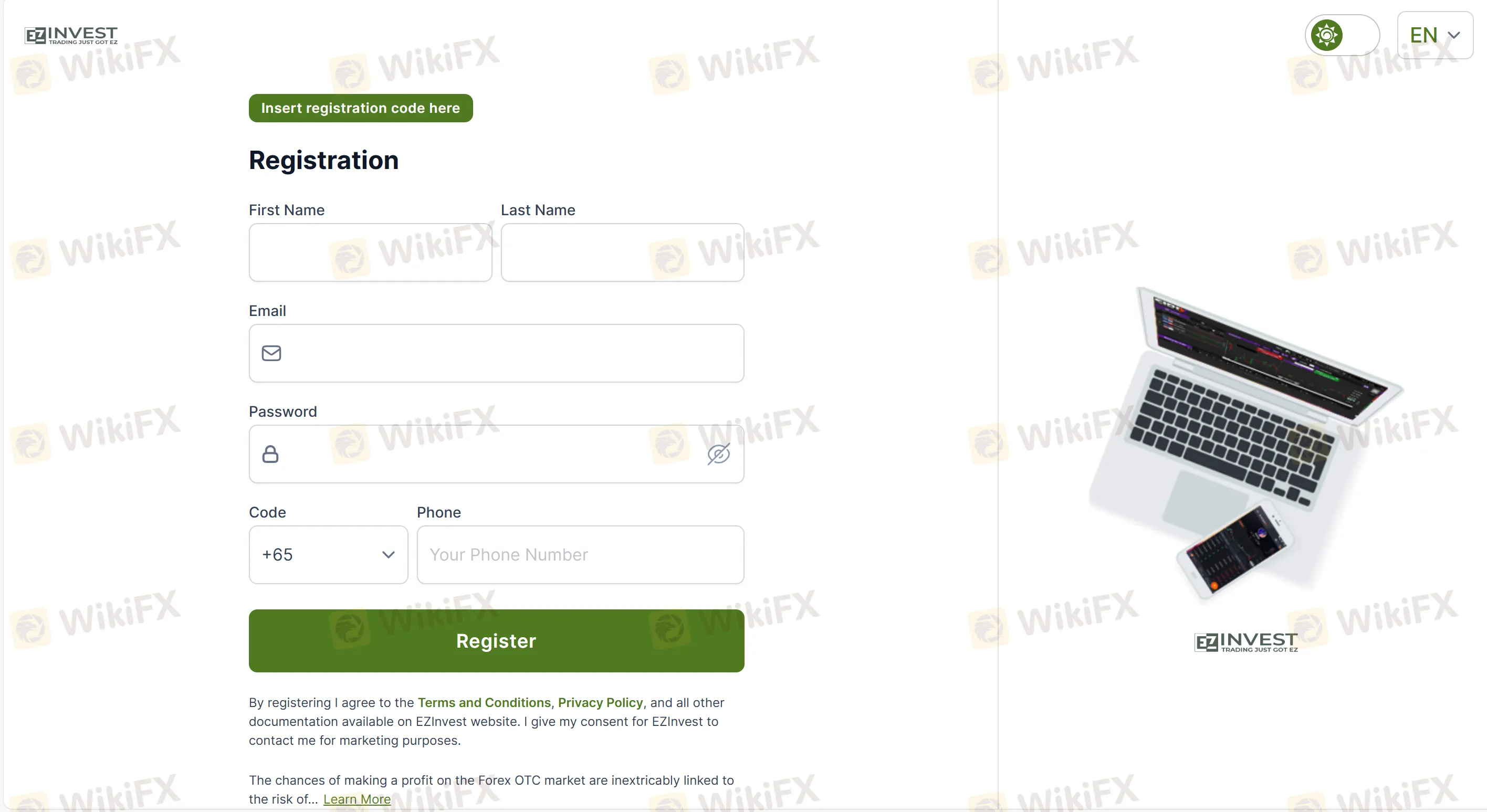
Step 2: Click “SIGN UP”
Step 3: Provide full name, email, phone number, and select preferred account type (Bronze, Silver, Gold, Platinum, Diamond)
Step 4: Verify your identity via KYC: upload ID and proof of address
Step 5: Fund the account (minimum deposit is $1,000 for basic access)
Step 6: Access the platform via login credentials received by email
Users can later upgrade to professional accounts via qualification, or open additional accounts under the same login.
FAQs about EZInvest Login and App Access
Q: Where can I log in to my EZInvest account?
A: You can log in through world.ezinvest.com or via MT4/Sirix WebTrader, depending on your account settings.
Q: Does EZInvest have a mobile app?
A: Yes. You can use the Sirix Mobile app or MT4 app to access your account.
Q: I forgot my password. How can I reset it?
A: Click “Forgot Password” on the login page, enter your registered email, and follow the reset link sent to your inbox.
Q: Why am I getting a login error?
A: This could be due to incorrect credentials, expired sessions, or account restriction. Try resetting your password or contacting support.
Q: Can I log into both demo and real accounts using the same credentials?
A: Demo and real accounts typically have separate credentials. You must use the correct login for each.
Q: Is there two-factor authentication (2FA) for EZInvest?
A: No official confirmation of 2FA support is available. Use secure passwords and enable email alerts for security.
Disclaimer:
The views in this article only represent the author's personal views, and do not constitute investment advice on this platform. This platform does not guarantee the accuracy, completeness and timeliness of the information in the article, and will not be liable for any loss caused by the use of or reliance on the information in the article.
WikiFX Broker
Latest News
ForexMart Review: Profit Canceled, Principal Withheld, and a Broker Warning Traders Cannot Ignore
WikiFXBX Trade Review: Is This Unregulated Broker Worth the Risk?
WikiFXSTMARKET Review: Withdrawal Complaints Cloud a Low-Rated Broker, What to Know Before You Deposit
WikiFXWhy the Dollar Moves Almost Every Forex Pair
WikiFXCONSOB Orders Blocking of 24 Unauthorized Investment Websites
WikiFXBitDelta Receives UAE Category 5 Licence for Introducing Activities
WikiFXRinggit Gains on Majors but Slips vs US Dollar Ahead of Fed
WikiFXtrading.com Review: FCA-Regulated, But Withdrawal Complaints Persist
WikiFXDeriv Review: What Traders Should Know Before Depositing
WikiFXDollar Steadies as Rupee Finds Market Support
WikiFX